Product Description:
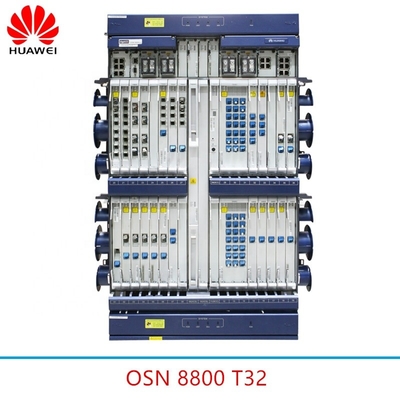
The Huawei NE40 Router is a cutting-edge telecom router designed to meet the demanding needs of modern network infrastructures. Engineered with precision and advanced technology, the Huawei NE40 Router offers exceptional performance, reliability, and scalability, making it an ideal choice for telecom operators and large enterprises seeking robust routing solutions.
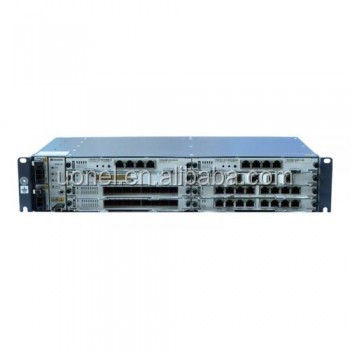
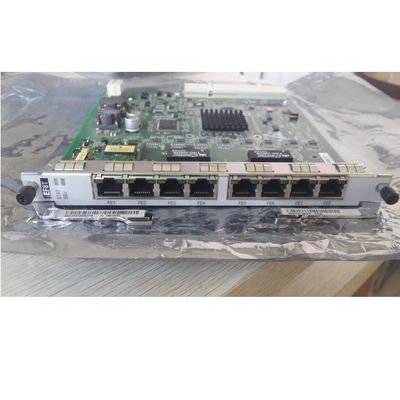
One of the standout features of the Huawei NE40 Router is its impressive port capacity. Equipped with 24 high-speed ports, this router ensures seamless connectivity and efficient data transfer across various network segments. These ports support a wide range of interfaces, allowing network administrators to easily integrate the Huawei NE40 Router into existing network architectures and expand capacity as needed.
In terms of routing capabilities, the Huawei NE40 Router supports multiple advanced routing protocols including BGP (Border Gateway Protocol), OSPF (Open Shortest Path First), RIP (Routing Information Protocol), and IS-IS (Intermediate System to Intermediate System). This extensive protocol support enables the router to efficiently manage complex routing tasks, optimize traffic flow, and maintain high network stability and reliability. Whether it is for managing internal routing or handling inter-domain routing, the Huawei NE40 Router provides the flexibility and intelligence required for diverse networking environments.
Operating at frequencies of 1800 MHz and 2100 MHz, the Huawei NE40 Router is capable of delivering high-speed wireless communication and enhanced signal quality. These frequency bands are widely used in telecom networks, ensuring compatibility and superior performance in various geographic regions and network configurations. This frequency support also aids in minimizing interference and maximizing bandwidth utilization, which is critical for maintaining consistent network performance.
The Huawei NE40 Router is built to handle demanding workloads with its substantial memory capacity. It comes equipped with up to 8GB of DDR3 RAM, providing ample memory resources to support intensive data processing, routing computations, and simultaneous connections. This generous memory allocation ensures that the router can operate smoothly under heavy traffic loads, reducing latency and improving overall network responsiveness.
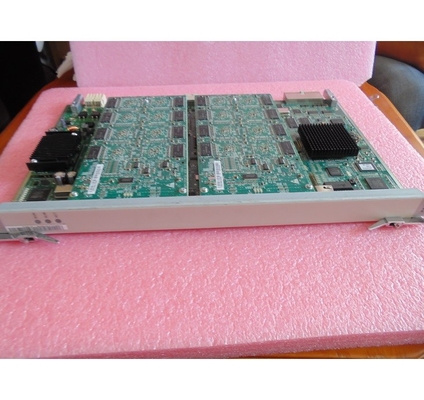
Additionally, the router features 8 slots for modular expansion, allowing network administrators to customize and scale the device according to evolving network requirements. These slots facilitate the installation of various interface cards and modules, enhancing the router’s functionality and adaptability. This modular design makes the Huawei NE40 Router a future-proof investment, capable of growing alongside your network demands.
Reliability and security are paramount in telecom networks, and the Huawei NE40 Router addresses these concerns with robust hardware design and comprehensive security features. The device is engineered for continuous operation in challenging environments, ensuring minimal downtime and consistent service delivery. Moreover, it supports a range of security protocols to protect data integrity and prevent unauthorized access, safeguarding critical network assets.
In summary, the Huawei NE40 Router is a powerful and versatile telecom router that combines advanced routing protocols, high port density, flexible frequency support, substantial memory, and modular expansion capabilities. Its comprehensive feature set and reliable performance make it an essential component for telecom operators and enterprises aiming to build resilient, high-performance networks. With the Huawei NE40 Router, organizations can achieve efficient network management, enhanced connectivity, and scalable growth for their communication infrastructure.
Features:
-
Product Name: Huawei Telecom Router
-
Typical Heat Dissipation: 94.1 BTU/hour
-
Port: Hongkong Or Shenzhen
-
Routing Protocols: Supports BGP, OSPF, RIP, IS-IS
-
Slot Quantity: 8
-
Product Status: Stock
-
Also known as Huawei NE40 Router, Huawei NE40 Router offers advanced routing features.
-
The Huawei NE40 Router ensures reliable and efficient network performance.
-
Experience superior connectivity with the Huawei NE40 Router.
Technical Parameters:
|
Wan Ports
|
2
|
|
Frequency
|
1800/2100Mhz
|
|
Management
|
Web GUI, CLI, SNMP, NetConf
|
|
Power Supply
|
Dual Redundant AC/DC Power Supply
|
|
Ports
|
24
|
|
Product Status
|
Stock
|
|
Routing Protocols
|
Supports BGP, OSPF, RIP, IS-IS
|
|
Port Location
|
Hongkong Or Shenzhen
|
|
Encryption Type
|
WPA2-PSK
|
|
Color
|
Black
|
Applications:
The Huawei NE40 Router is an advanced telecom router designed to meet the demands of modern networking environments. With its robust configuration, including 2 WAN ports and 24 ports overall, this router is ideal for telecom operators and large enterprises requiring reliable and high-performance network connectivity. Whether deployed in Hongkong or Shenzhen, the Huawei NE40 Router ensures seamless integration into diverse network infrastructures, providing exceptional routing capabilities and security.
One of the primary application occasions for the Huawei NE40 Router is in telecommunications service providers’ core networks. Its support for multiple dynamic routing protocols such as BGP, OSPF, RIP, and IS-IS enables efficient and flexible management of complex network topologies. This makes the Huawei NE40 Router perfectly suited for backbone routing, where quick convergence and stable routing paths are critical. Telecom operators in regions like Hongkong and Shenzhen rely on this router to handle massive data traffic while ensuring minimal downtime.
The Huawei NE40 Router is also widely used in enterprise network environments that require high availability and secure data transmission. Featuring WPA2-PSK encryption, the router guarantees robust wireless security, safeguarding sensitive information from unauthorized access. Enterprises with extensive wired network demands benefit from the 24 ports available on the Huawei NE40 Router, allowing for multiple device connections and scalable network expansion.
Additionally, the Huawei NE40 Router is well-suited for data center interconnections and cloud service providers. The dual WAN ports provide redundancy and load balancing, ensuring continuous network service even in the event of a link failure. This is crucial for maintaining uninterrupted cloud access and data center operations. Organizations deploying the Huawei NE40 Router in Hongkong or Shenzhen can leverage its advanced routing protocols to optimize traffic flow and enhance network resilience.
In summary, the Huawei NE40 Router is a versatile and powerful telecom router ideal for telecom operators, large enterprises, data centers, and cloud service providers. Its comprehensive support for routing protocols, high port density, dual WAN ports, and strong encryption standards make it a reliable choice for network environments in Hongkong, Shenzhen, and beyond. The Huawei NE40 Router embodies the cutting-edge technology and performance required to build secure, scalable, and efficient networks in today’s connected world.
Customization:
Our product customization services for the Huawei NE40 Router allow you to tailor the device to meet your specific networking needs. The Huawei NE40 Router comes with up to 8GB DDR3 RAM, ensuring high performance and smooth operation even under heavy workloads. Operating at a frequency of 1800/2100Mhz, this router delivers reliable and fast connectivity suitable for various telecom applications.
With a typical heat dissipation of 94.1 BTU/hour, the Huawei NE40 Router is designed to maintain optimal thermal performance, enhancing its durability and stability in demanding environments. Security is a top priority, and this router integrates advanced security features including Firewall, VPN, DoS Protection, and IPsec to safeguard your network against threats.
The Huawei NE40 Router is equipped with 24 ports, providing extensive connectivity options for your telecom infrastructure. Customize your Huawei NE40 Router to suit your operational requirements with our expert services, ensuring you get the best performance, security, and scalability from your telecom router.
Packing and Shipping:
Product Packaging:
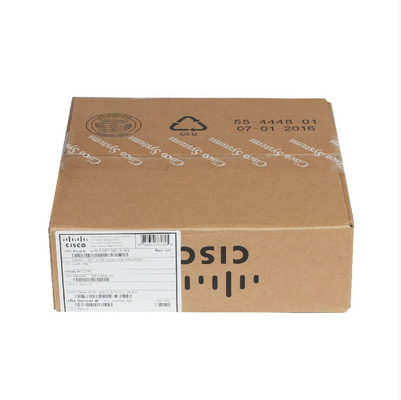
The Huawei Telecom Router is securely packaged in a sturdy, high-quality box designed to protect the device during transit. Inside the box, the router is cushioned with foam inserts to prevent any damage from shocks or vibrations. The package includes the Huawei Telecom Router unit, a power adapter, an Ethernet cable, a quick installation guide, and a warranty card. All accessories are neatly organized to ensure easy access upon unboxing.
Shipping:
Huawei Telecom Routers are shipped using reliable logistics partners to ensure timely and safe delivery. Each package is clearly labeled with handling instructions and tracking information. The routers are shipped in weather-resistant outer cartons to protect against moisture and other environmental factors. For international shipments, all necessary customs documentation is provided to facilitate smooth clearance. Customers can track their orders online using the provided tracking number until the product reaches their doorstep.
FAQ:
Q1: What are the key features of the Huawei Telecom Router?
A1: The Huawei Telecom Router offers high-speed internet connectivity, multiple LAN ports, advanced security features, and easy network management. It supports both wired and wireless connections to ensure stable and reliable performance.
Q2: How do I set up the Huawei Telecom Router for the first time?
A2: To set up the Huawei Telecom Router, connect the router to your modem and power source, then use a computer or mobile device to access the router’s web interface by entering its default IP address in a browser. Follow the setup wizard to configure your internet connection and Wi-Fi settings.
Q3: Can the Huawei Telecom Router support multiple devices simultaneously?
A3: Yes, the Huawei Telecom Router is designed to support multiple devices at the same time, ensuring smooth internet access for smartphones, tablets, laptops, and smart home devices without compromising speed or connection quality.
Q4: What security features does the Huawei Telecom Router include?
A4: The Huawei Telecom Router includes WPA3 encryption, a built-in firewall, guest network access, and parental controls to protect your network from unauthorized access and ensure safe browsing for all users.
Q5: How can I update the firmware on my Huawei Telecom Router?
A5: Firmware updates for the Huawei Telecom Router can be performed through the router’s web interface. Navigate to the system or maintenance section, check for available updates, and follow the prompts to download and install the latest firmware to improve performance and security.


 Your message must be between 20-3,000 characters!